
Quickstart
Track Progress
See delivery as it happens — directly from execution
In many tools, progress is something that must be summarized and reported. Work happens first, visibility comes later.
In KanBo, progress is visible the moment work moves.
Tracking progress does not require dashboards to be maintained or reports to be prepared. It emerges naturally from how cards, statuses, and activity evolve over time.
Progress starts with workflow movement
The most fundamental progress signal in KanBo is movement through statuses.
Each card progresses through statuses interpreted by status types:
- Information
- Not Started
- In Progress
- Completed
- Cancelled
As cards move, KanBo automatically reflects progress at the workflow level — making it immediately clear:
- how much work is still waiting,
- what is actively being executed,
- and what has already been completed.
This status-based progress indicator gives instant feedback without opening reports or views. Progress is visible at a glance — directly in the flow of work.
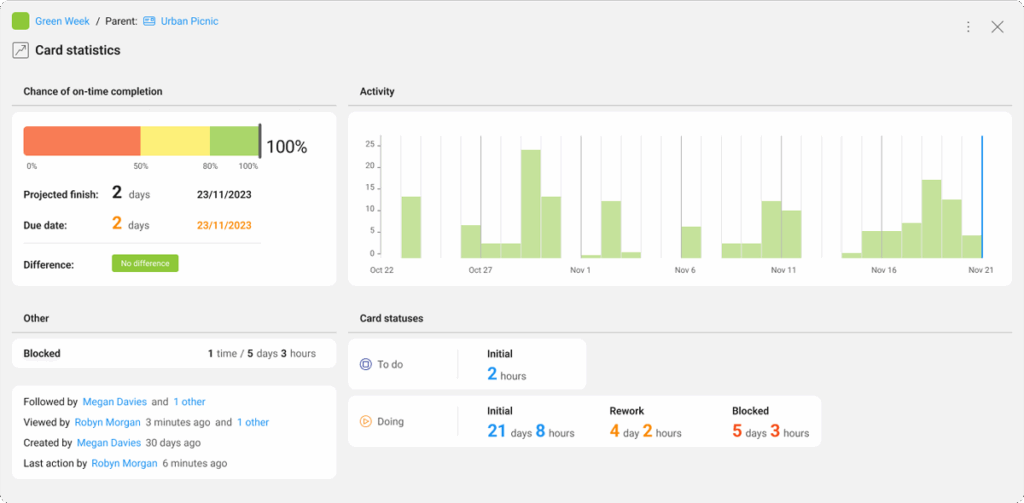
Card statistics
The card statistics feature offers a wealth of analytical insights to help users gain a comprehensive understanding of their card realization process. It provides a visual representation of a card’s lifecycle.
Progress is also visible inside the card
Execution progress does not stop at the status level.
Inside each Card, KanBo provides additional progress signals:
| Progress signals | Use | Example |
| Checklists | Checklist items show step-by-step execution and partial completion of work. | 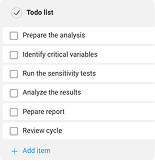 |
| Checklist progress indicators | Completed checklist items immediately update progress visibility inside the card. | 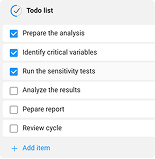 |
| Activity Stream | Every change — status updates, comments, document additions, responsibility changes — appears in chronological order. | 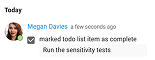 |
This allows anyone to understand not only where work is, but how it is progressing and why. Progress is transparent, not summarized.
Progress scales with overview cards
KanBo allows progress to be tracked beyond individual tasks.
This makes it possible to:
- track project or initiative progress like any other card,
- roll up execution status without manual aggregation,
- and connect high-level outcomes with detailed work.
Progress can be followed from the smallest checklist item up to an entire initiative — all within the same model.
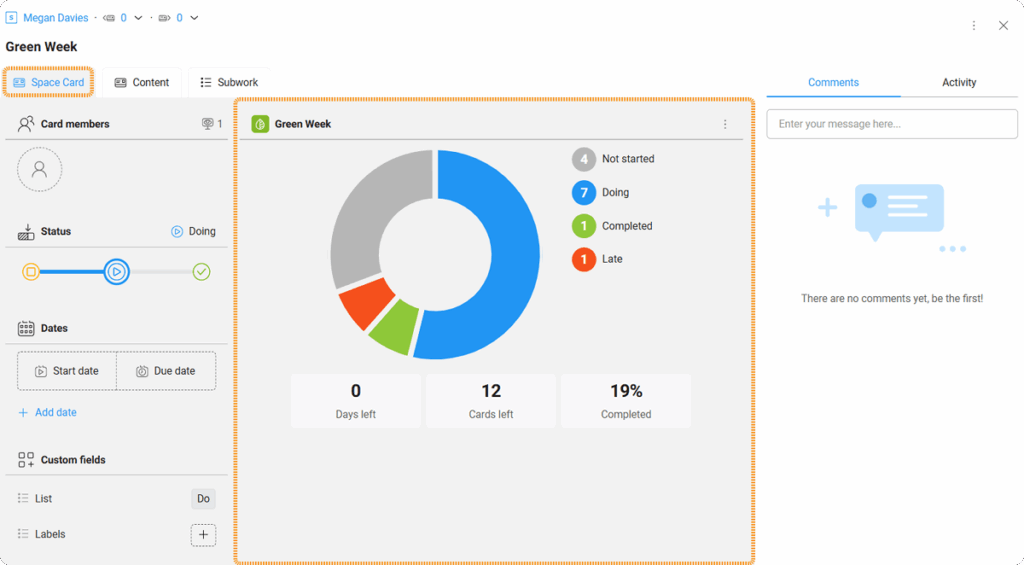
Overview cards
Cards are the basic and multifunctional building blocks of KanBo. A special type of cards are overview cards, which allow you to represent entire spaces in the form of cards. This way you can visualize the summary of a particular space and then manage it just like a regular card.
Different roles see progress differently — without different data
KanBo does not duplicate progress information for different audiences.
Instead, the same execution data is shown through different views:
- Kanban wiew for flow and distribution,
- Gantt wiew for timelines and dependencies,
- Forecast and Time Charts for predictability and efficiency.
The work stays the same. Only the lens changes.
This ensures that:
- teams focus on execution,
- managers see coordination and risk,
- leaders see delivery and confidence.
Why this matters
KanBo treats progress as a living signal, not a reporting artifact.
Tracking progress in KanBo means understanding delivery while there is still time to act — not explaining it after the outcome is already decided.
| Progress tracking | Outcome |
| When progress is tracked only through dashboards: | it lags behind reality, it requires manual effort, and it hides early warning signs. |
| When progress is embedded in execution: | visibility is immediate, problems surface early, problems surface early, |
Natural transition
With progress visible in real time, the next step is enabling people to act together around that progress.